 MicDeck
Your HyperX mic,
properly on the Mac.
MicDeck gives HyperX USB microphones the controls macOS leaves out: gain, mute, headphone level, polar pattern, low cut and QuadCast S lighting. It also tunes your voice in about fifteen seconds.
Free and open source · macOS 15 or later · Apple silicon and Intel · Coming soon to the Mac App Store
What it does
Everything on the mic, from your menu bar.
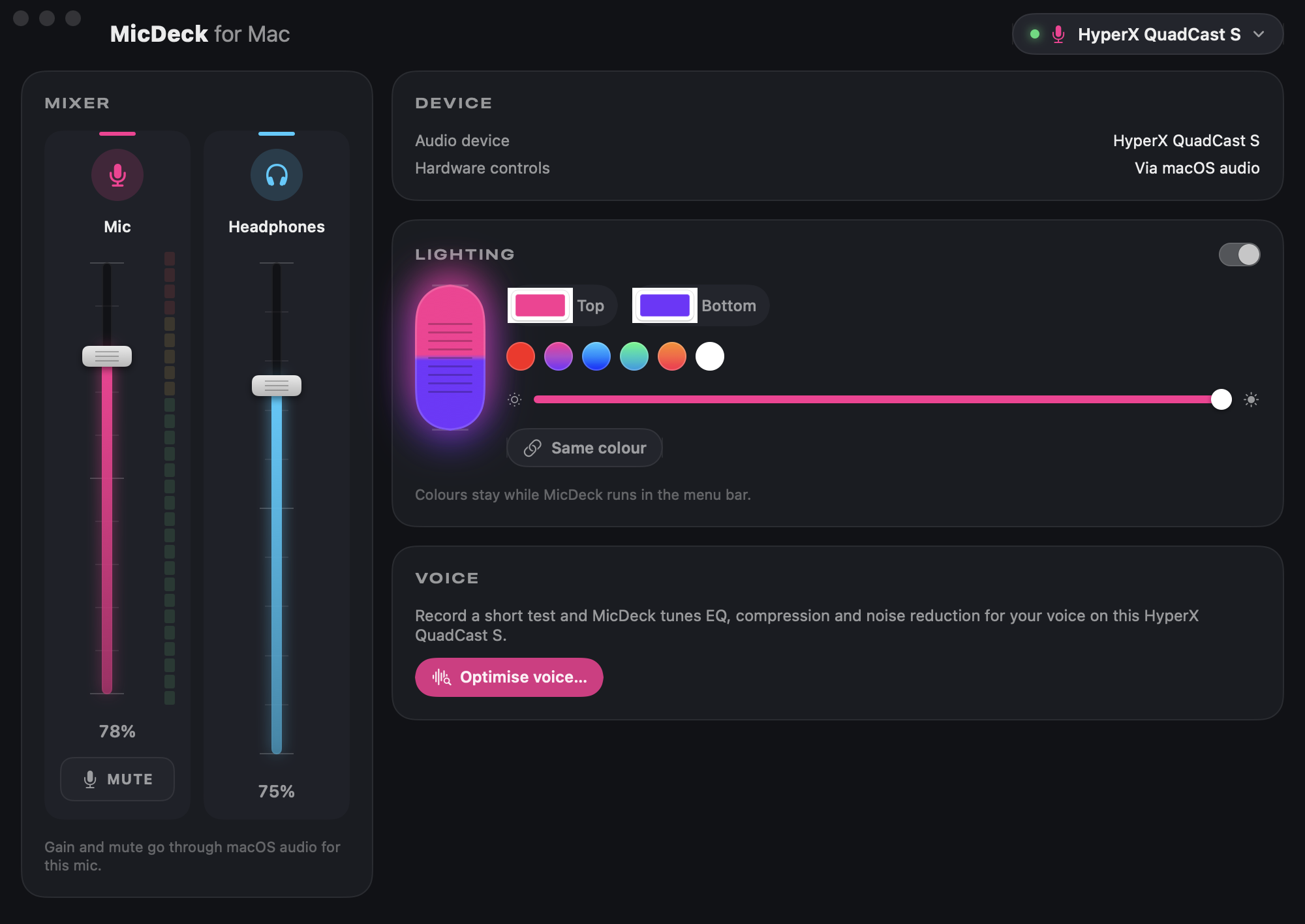
MicDeck sits in the menu bar and only shows the controls your mic actually has. Change the mic and the window changes with it.
Gain and mute
A proper fader with a live level meter, and one-click mute. On newer mics it follows the mic's own knob and tap-to-mute.
Headphones and monitoring
Set headphone volume, and on mics that support it, the balance between hearing yourself and hearing your Mac.
Polar pattern
Switch between cardioid, stereo, omni and bidirectional on the QuadCast 2 S without reaching for the knob.
Low cut
Turn on the mic's built-in high-pass filter to take out desk thumps, fans and rumble.
QuadCast S lighting
Pick separate top and bottom colours and brightness. Your colours stay on for as long as MicDeck is in the menu bar.
Voice optimiser
Record a short test and MicDeck sets EQ, compression and noise reduction for your voice. Every app can use the result.
Optimise voice
Sound like you, only better.
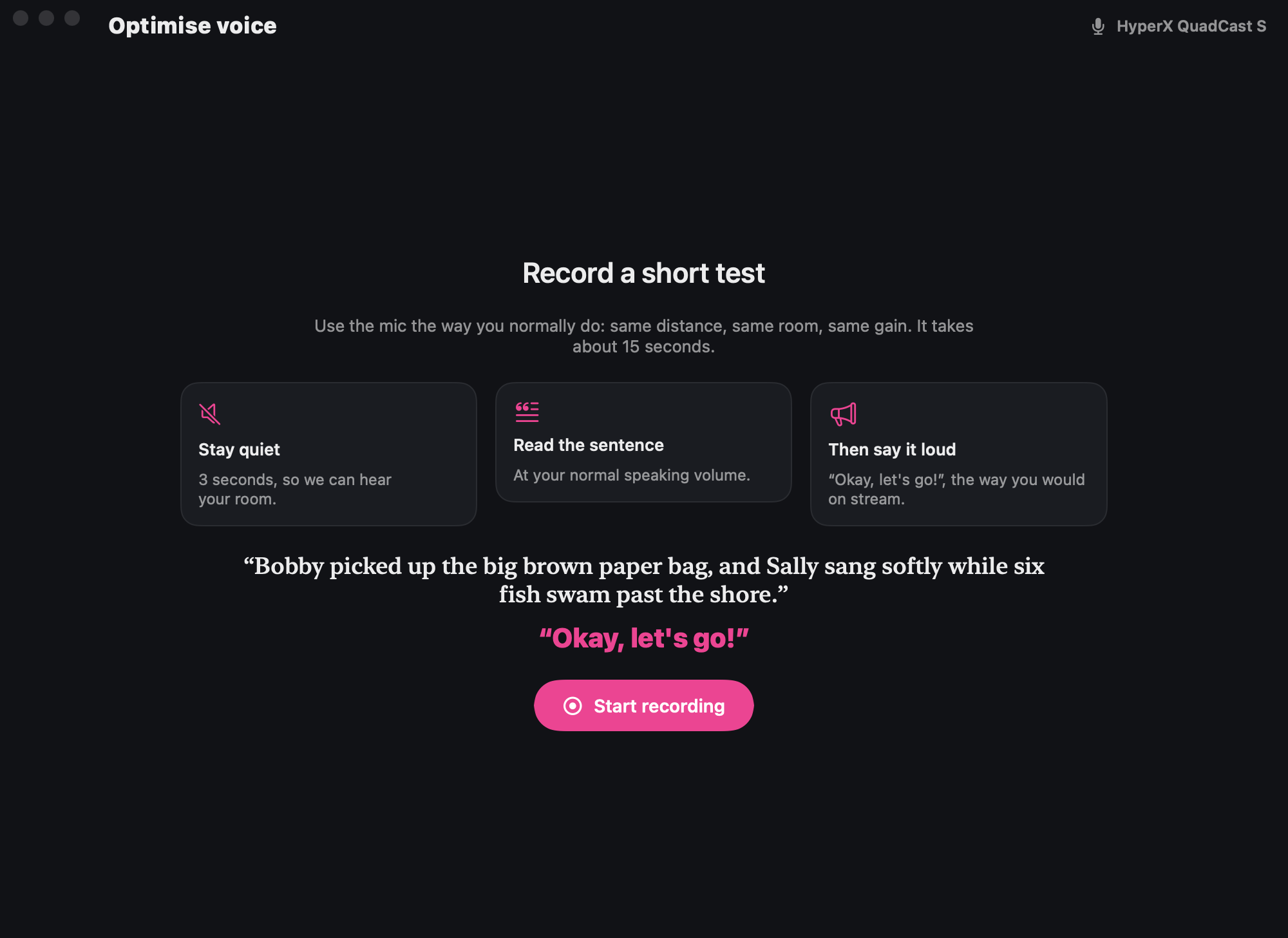
Read one sentence and MicDeck listens for pops, harsh S sounds, mud, room noise and peaks, then builds a voice chain for you. It explains each choice, and you can A/B the result before you apply it.
- 1Stay quiet for 3 secondsSo it can hear your room.
- 2Read the sentenceAt your normal speaking volume.
- 3Say "Okay, let's go!"The way you would on stream, so the limiter is set from a real peak.
- 4Pick "MicDeck Microphone"In Discord, Zoom, OBS or any other app.
Supported mics
Works with HyperX USB mics.
Every mic gets gain and mute. The other controls appear when the mic has them.
| Mic | Gain & mute | Headphones | Polar pattern | Monitor mix | Low cut | Lighting |
|---|---|---|---|---|---|---|
| QuadCast 2 S | ||||||
| QuadCast S | ||||||
| QuadCast | ||||||
| SoloCast 2 Pro | ||||||
| SoloCast 2 | ||||||
| SoloCast | ||||||
| FlipCast |
The voice optimiser works with all of them.
Download
Get MicDeck.
Both downloads are on the GitHub releases page.
MicDeck
The app. Open the disk image and drag MicDeck to Applications. It starts in the menu bar.
Download MicDeckMicDeck Audio driver
Only needed for the voice optimiser. It adds the "MicDeck Microphone" input that other apps record from. To remove it later, run uninstall.sh from the disk image.
Privacy
Your voice stays on your Mac.
MicDeck collects no data and makes no network connections. Microphone access drives the level meter and the voice optimiser. The test recording is kept in memory while you tune and is never saved or sent anywhere.